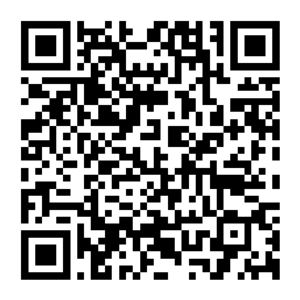
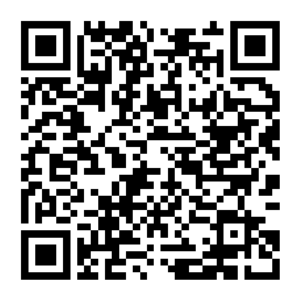
Two Versions, Designed for Different Needs
Luguang and Luguang Lite are built for two distinct usage scenarios:
-
Luguang: Security-first, focused on encryption and privacy control
-
Luguang Lite: Speed-first, focused on fast backup and plug-and-play convenience
If you prioritize data security, choose Luguang.
If you prioritize backup efficiency, choose Luguang Lite.
Lumin
Security First · Full-File Encryption · Private and Controlled
Luguang uses file-level encryption. All data backed up to the USB drive is encrypted and can only be accessed through the dedicated app after decryption.
Key Features
🔐 All files are encrypted before being stored on the USB drive
🧩 One File, One Key (each file encrypted independently)
👤 Account registration required
🔒 App lock supported (authentication required to enter)
📂 Supports backup of photos, videos, documents, and audio files
🛡 If the USB drive is lost, data cannot be accessed directly
Performance Notes
Because encryption is applied during the writing process:
This is the necessary computational cost of stronger data protection.
Ideal For
-
Storing work files, contracts, certificates, or other sensitive documents
-
Users with high privacy and security requirements
-
Anyone who wants data to remain protected even if the USB drive is lost
Lumin Lite
Speed First · No Encryption · Plug and Play
Luguang Lite writes original files directly to the USB drive without encryption.
Key Features
⚡ Files stored in original format for faster read and write speeds
🚀 No registration required, ready to use instantly
🖼 Supports photo and video backup
💻 Files can be viewed directly when the USB drive is connected to a computer
🧭 Simpler and more streamlined workflow
Performance Advantages
-
No encryption processing overhead
-
Faster continuous write speeds
-
Smoother backup for large volumes of photos and videos
Ideal For
-
Users who only need photo and video backup
-
Those who prefer not to register an account
-
Users who value quick backup and quick access
-
Those who need direct file access from a computer
Feature Comparison
| Feature |
Luguang |
Luguang Lite |
| File Storage Method |
Encrypted |
Plain (Unencrypted) |
| Encryption Model |
One File, One Key |
None |
| Read/Write Speed |
Slightly slower (encryption processing) |
Faster (no encryption) |
| Registration Required |
Yes |
No |
| Supported File Types |
Photos / Videos / Documents / Audio |
Photos / Videos |
| App Lock |
Supported |
Not supported |
| If USB Is Lost |
Data cannot be accessed directly |
Files can be accessed directly |
| Direct Computer Access |
Not supported |
Supported |
How to Choose?
If data security matters most → Choose Lumin
If backup speed matters most → Choose Lumin Lite
Security and efficiency represent different trade-offs for different scenarios.
We provide two versions so you can choose the one that fits your needs best.